
Export PDF tables with Docling and retain provenance
Candidate tables, source manifest and review records.
Use caseExport candidate PDF tables as CSV and HTML, retain source hashes and table indices, and inspect merged cells, repeated headers and numeric columns using a checklist.
Export candidate PDF tables as CSV and HTML, retain source hashes and table indices, and inspect merged cells, repeated headers and numeric columns using a checklist.
Source · JevLog editorial · Original guide
Source project mark · Docling
Published 2026-10-02 from current official docs with original exercises. No live service calls; source publication dates not established.
Problem
Section titled “Problem”Numbers in the wrong columns can be harder to detect than missing rows. Export candidates and layout views, then verify the source PDF. Jev may route review items but cannot establish missing values.
Before you begin
Section titled “Before you begin”-
Install Python, docling and pandas. First execution may download models and use substantial memory.
-
Use a short authorized PDF as input.pdf and download table-review-checklist.csv.
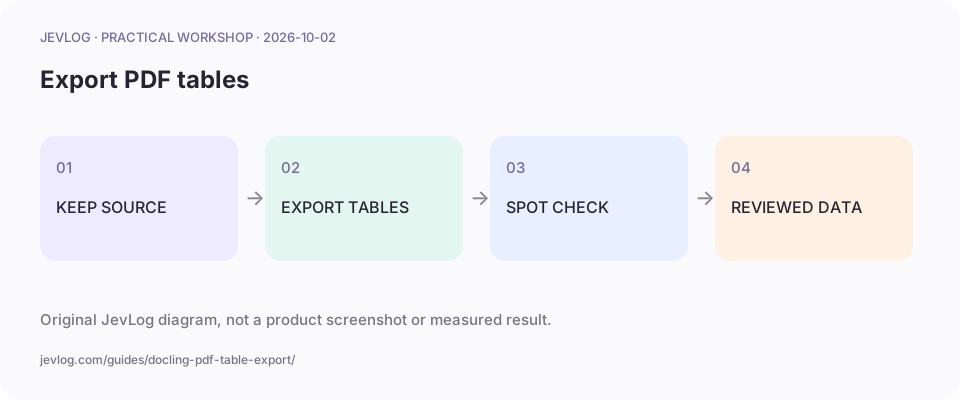
Original JevLog diagram, not a product screenshot or measured result.
1. Start with a checkable table
Section titled “1. Start with a checkable table”Choose a short file with clear headers. Note source page, dimensions and one key row manually. Avoid large scans until parsing and resource behavior are understood.
2. Export two candidate views
Section titled “2. Export two candidate views”Read a local file and write a new directory. The manifest records source hash, table index, dimensions and filenames. Table index is not page number; record pages in the review checklist.
from pathlib import Pathimport hashlib, jsonfrom docling.document_converter import DocumentConverter
source = Path("input.pdf")out = Path("table-output")out.mkdir(exist_ok=True)document = DocumentConverter().convert(source).documentdigest = hashlib.sha256(source.read_bytes()).hexdigest()records = []for i, table in enumerate(document.tables, 1): frame = table.export_to_dataframe(doc=document) frame.to_csv(out / f"table-{i}.csv", index=False, encoding="utf-8-sig") (out / f"table-{i}.html").write_text(table.export_to_html(doc=document), encoding="utf-8") records.append({"source": source.name, "source_sha256": digest,   "table_index": i, "rows": len(frame), "columns": len(frame.columns)})(out / "manifest.json").write_text(json.dumps(records, indent=2), encoding="utf-8")
3. Compare HTML and CSV
Section titled “3. Compare HTML and CSV”Inspect headers, merged cells and alignment in HTML and rows and columns in CSV. Repeated page headers may become data. Preserve raw amount, date and percentage strings until signs, units and blanks are verified.
4. Check at least three source locations
Section titled “4. Check at least three source locations”Check the first row, a page boundary and last row. Record original page, table index, issue, status and reviewer. Parsing success is not proof of correctness; missing evidence remains pending.
5. Handoff only reviewed values
Section titled “5. Handoff only reviewed values”Save verified values separately and keep others as candidates. DuckDB checks structure and Jev may classify categories. Financial approval still requires source documents and authorization.
Practice sample: download table-review-checklist.csv for local use; not a live run here.
Result and cautions
Section titled “Result and cautions”Candidate tables, source manifest and review records.
- No detection does not prove no table exists; scan quality and layout matter.
- Spreadsheets may interpret formula text; treat extracted cells as untrusted.
- Every output maps to source hash and table index.
- Record three spot checks and unresolved items.
Source boundary: compiled from the linked public sources; not reproduced here. Review classifications before acting; they do not run actions automatically.
Related guides
Section titled “Related guides”- Find faulty CSV rows with DuckDB reject tables
- CSV preflight tutorial: blanks, duplicate IDs and wrong columns
- Design atomic Jev questions for reviewable routing
Why export HTML alongside CSV?
Section titled “Why export HTML alongside CSV?”HTML aids layout review and CSV aids processing; both need source verification.