
Debug browser automation with Playwright traces
A local trace and reproduction note identifying failed actions and page states.
Use caseRecord actions and DOM snapshots on a local fixture, inspect locators and waits in trace.zip, and write a minimal reproduction. Includes a local-page exercise archive.
Record actions and DOM snapshots on a local fixture, inspect locators and waits in trace.zip, and write a minimal reproduction. Includes a local-page exercise archive.
Source · JevLog editorial · Original guide
Source cover · Microsoft Playwright
Published 2026-10-02 from current official docs with original exercises. No live service calls; source publication dates not established.
Problem
Section titled “Problem”A final screenshot cannot explain previous actions. Traces link actions and page states for diagnosis, not proof of business correctness or permission to act.
Before you begin
Section titled “Before you begin”-
Use Node.js, Playwright and Chromium. Download trace-local-workshop.zip with local HTML and script.
-
Install playwright and its Chromium browser. Installation downloads dependencies; the recording fixture visits no real website.
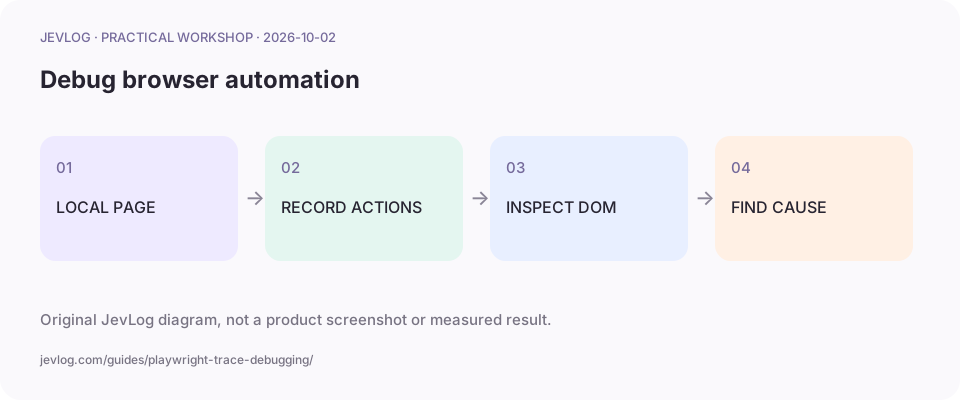
Original JevLog diagram, not a product screenshot or measured result.
1. Fix a minimal reproduction
Section titled “1. Fix a minimal reproduction”demo.html has one Prepare draft button and a result area, without sending data. Keep the fixture fixed before adding login, changing websites and navigation.
2. Record browser-context activity
Section titled “2. Record browser-context activity”Keep record.cjs beside demo.html and run node record.cjs. finally attempts to retain a trace even when an action fails. This is authored exercise code, not a claim of live automation.
const { chromium } = require('playwright');const path = require('node:path');const { pathToFileURL } = require('node:url');(async () => { const browser = await chromium.launch(); const context = await browser.newContext(); await context.tracing.start({screenshots:true, snapshots:true, sources:true}); try { const page = await context.newPage(); await page.goto(pathToFileURL(path.join(__dirname,'demo.html')).href); await page.getByRole('button',{name:'Prepare draft',exact:true}).click(); await page.locator('#result').filter({hasText:'Draft ready'}).waitFor(); } finally { await context.tracing.stop({path:'trace.zip'}); await browser.close(); }})().catch(error => {console.error(error.message); process.exitCode=1;});3. Inspect the failing action and DOM
Section titled “3. Inspect the failing action and DOM”Open npx playwright show-trace trace.zip locally. Inspect before/after snapshots, matched element, overlays and iframes. Avoid masking wrong locators with fixed sleeps; wait for a concrete result.
4. Inspect network on authorized pages
Section titled “4. Inspect network on authorized pages”On your authorized pages, inspect requests, responses and frontend errors. If Jev selects actions, offer a finite allowlist and validate locator, object and permission in code. A trace cannot replace pre-action checks.
5. Review content before sharing
Section titled “5. Review content before sharing”Report version, steps, failed action, expectations and a minimal trace. Traces may contain DOM, network, source and personal data. Use scrubbed fixtures and controlled storage. Context tracing does not capture every test assertion; Playwright Test has its own tracing setup.
Practice sample: download trace-local-workshop.zip for local use; not a live run here.
Result and cautions
Section titled “Result and cautions”A local trace and reproduction note identifying failed actions and page states.
- Failures before context creation may leave no trace; retain error logs.
- The fixture needs no login and actions map to snapshots.
- Review shared content and record expected versus actual behavior.
Source boundary: compiled from the linked public sources; not reproduced here. Review classifications before acting; they do not run actions automatically.
Related guides
Section titled “Related guides”- Practice-quiz browser automation: CLICK/TYPE/SELECT/DONE with jev-for-chrome
- Pause and resume LangGraph approval without duplicate actions
- Handle n8n failures with error queues and bounded retries
Why use a trace when a screenshot exists?
Section titled “Why use a trace when a screenshot exists?”A screenshot is one instant; traces relate actions to snapshots, locators and network records.