
Choose Jev confidence thresholds with a labeled CSV
A reproducible cutoff report and reviewable counterexamples.
Use caseCompare automatic coverage and accepted errors across candidate cutoffs, inspect high-confidence mistakes and reserve a validation set. Includes local calculation code.
Compare automatic coverage and accepted errors across candidate cutoffs, inspect high-confidence mistakes and reserve a validation set. Includes local calculation code.
Source · JevLog editorial · Original guide
Source cover · TypeSafe AI
Published 2026-10-02 from current official docs with original exercises. No live service calls; source publication dates not established.
Problem
Section titled “Problem”A higher cutoff can reduce accepted volume without removing every error. Confidence summarizes a distribution, not observed correctness. Measure both accepted coverage and accepted errors.
Before you begin
Section titled “Before you begin”-
Use Python’s standard library and threshold-fixture.csv. The designed high-confidence mistake is fictional, not measured Jev output.
-
Keep human labels, predictions, confidence and question versions; split tuning and validation data by source or time.
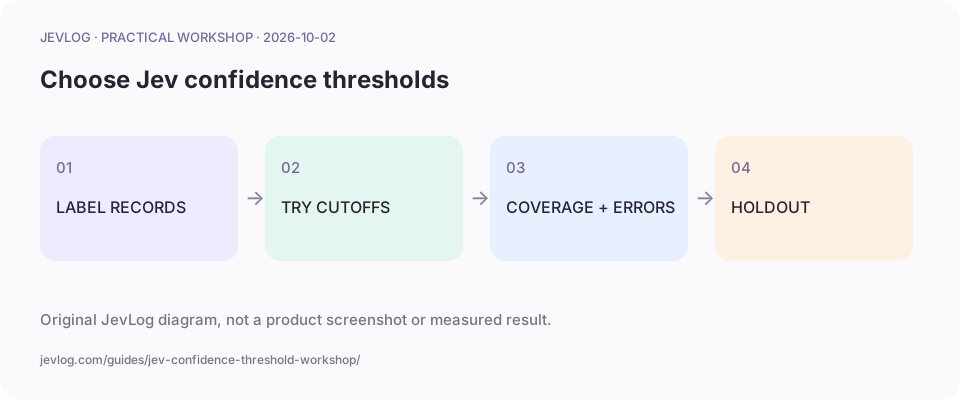
Original JevLog diagram, not a product screenshot or measured result.
1. Define metrics and denominators
Section titled “1. Define metrics and denominators”expected is the label and predicted is the output. Coverage uses all valid records; accepted error rate uses accepted records. Track call failures separately and count their workload. No accepted rows is not perfect accuracy.
2. Calculate candidate cutoffs locally
Section titled “2. Calculate candidate cutoffs locally”Save measure_thresholds.py beside the CSV. It reads files without calling a model and reports cutoff, accepted rows, errors, coverage and accepted error rate.
import csvwith open("threshold-fixture.csv", encoding="utf-8", newline="") as f: rows = list(csv.DictReader(f))for threshold in (0.6, 0.8, 0.9, 0.95): accepted = [r for r in rows if float(r["confidence"]) >= threshold] errors = sum(r["predicted"] != r["expected"] for r in accepted) print({"threshold": threshold, "accepted": len(accepted), "coverage": len(accepted) / len(rows), "errors": errors, "accepted_error_rate": errors / len(accepted) if accepted else None})3. Inspect the high-confidence mistake
Section titled “3. Inspect the high-confidence mistake”Fixture arithmetic gives three accepted rows and one error at 0.8, versus two accepted and one error at 0.9. The mistake persists. These are designed examples, not benchmarks. Inspect the original case and rubric.
4. Inspect classes and limit actions
Section titled “4. Inspect classes and limit actions”List samples, accepted records and errors by class. Do not rely on overall averages for rare classes. Start with reversible internal categorization; billing, permissions and deletion need separate authorization.
5. Validate a frozen rule on held-out data
Section titled “5. Validate a frozen rule on held-out data”Choose a cutoff on tuning data, freeze the question and evaluate untouched data. Retain errors and rejected cases. Re-evaluate after changes to model, options or input format. Limited evidence means continued review.
Practice sample: download threshold-fixture.csv for local use; not a live run here.
Result and cautions
Section titled “Result and cautions”A reproducible cutoff report and reviewable counterexamples.
- Noul uses yes/no/review probability ranges, not Choice confidence.
- Small samples do not support performance promises; count rejected cases and call errors.
- Report totals, accepted volume, errors and coverage.
- Hold out validation data and preserve high-confidence mistakes.
Source boundary: compiled from the linked public sources; not reproduced here. Review classifications before acting; they do not run actions automatically.
Related guides
Section titled “Related guides”- Human review queue tutorial: low scores and missing labels
- Compare CSV classification results by ID: a worked example
- Design atomic Jev questions for reviewable routing
Does confidence 0.9 mean 90% correctness?
Section titled “Does confidence 0.9 mean 90% correctness?”No. It is a distribution statistic; measure correctness against your labels.