
Find faulty CSV rows with DuckDB reject tables
Usable CSV, reject records and scan settings explaining exclusions.
Use caseFix CSV types, collect rejected row locations and reasons with store_rejects, export usable data and errors separately, and reconcile counts with a malformed fixture.
Fix CSV types, collect rejected row locations and reasons with store_rejects, export usable data and errors separately, and reconcile counts with a malformed fixture.
Source · JevLog editorial · Original guide

Source cover · DuckDB
Published 2026-10-02 from current official docs with original exercises. No live service calls; source publication dates not established.
Problem
Section titled “Problem”Skipping malformed rows hides data loss. Identify excluded records, reasons and original locations before classification. Deterministic parsing handles structure without AI guesses.
Before you begin
Section titled “Before you begin”-
Install the DuckDB CLI and download faulty-intake.csv. Preserve the original.
-
Use id VARCHAR, count INTEGER and channel VARCHAR.
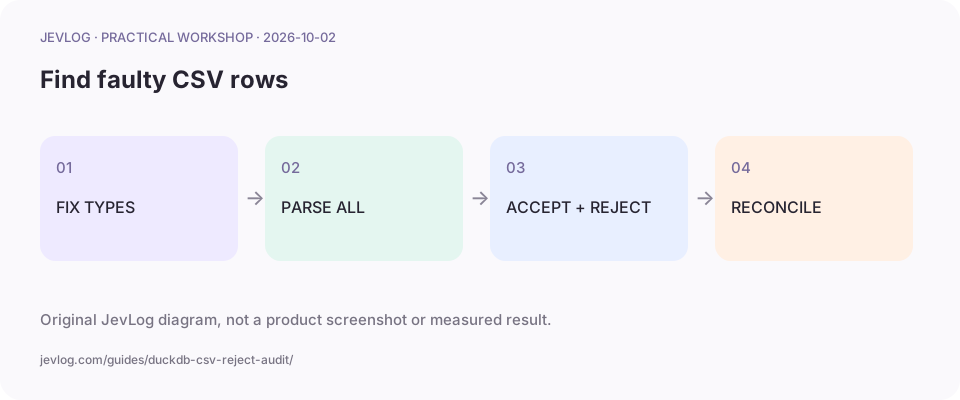
Original JevLog diagram, not a product screenshot or measured result.
1. Fix the schema
Section titled “1. Fix the schema”Do not infer from one row. Keep IDs as text, require integer counts, and reject many, missing fields and extra fields. Record file version and expected record count.
2. Materialize all columns and collect rejects
Section titled “2. Materialize all columns and collect rejects”Run in one DuckDB session. SELECT * checks every column; selecting only id may avoid checking count. store_rejects records skipped data without repairing it.
CREATE TABLE accepted ASSELECT * FROM read_csv('faulty-intake.csv', header = true, columns = {'id': 'VARCHAR', 'count': 'INTEGER', 'channel': 'VARCHAR'}, store_rejects = true, rejects_limit = 0);
SELECT * FROM reject_errors;SELECT * FROM reject_scans;SELECT count(*) AS accepted_rows FROM accepted;COPY accepted TO 'accepted-intake.csv' (HEADER, DELIMITER ',');COPY reject_errors TO 'intake-errors.csv' (HEADER, DELIMITER ',');COPY reject_scans TO 'intake-scans.csv' (HEADER, DELIMITER ',');
3. Preserve text, location and scan settings
Section titled “3. Preserve text, location and scan settings”reject_errors records location, column and cause; reject_scans records file and reading configuration. Multiple errors can belong to one row. Export both temporary tables before closing the session.
4. Reconcile before repairing
Section titled “4. Reconcile before repairing”The fixture has six records, with three intended valid and three faulty rows. Check version, line endings and options if results differ. A reviewer must establish the missing count from evidence.
5. Handoff usable data and reject work
Section titled “5. Handoff usable data and reject work”Send accepted-intake.csv downstream and rejects to repair. Save corrections as a new version and reparse all records. Retain hash, reviewer and import time without overwriting the source.
Practice sample: download faulty-intake.csv for local use; not a live run here.
Result and cautions
Section titled “Result and cautions”Usable CSV, reject records and scan settings explaining exclusions.
- Multiline quoted values make physical lines differ from records.
- Accepted and rejected counts reconcile and errors are locatable.
- Corrections are versioned and missing values are not invented.
Source boundary: compiled from the linked public sources; not reproduced here. Review classifications before acting; they do not run actions automatically.
Related guides
Section titled “Related guides”- CSV preflight tutorial: blanks, duplicate IDs and wrong columns
- Jev + DuckDB: a safe starting checklist
- Export PDF tables with Docling and retain provenance
Is ignore_errors sufficient for auditing?
Section titled “Is ignore_errors sufficient for auditing?”Skipping alone does not explain excluded data. store_rejects preserves reviewable details.