
WeKnora Support Knowledge Base: Upload Docs and Verify Citations
A small acceptance record showing which questions have clear source support, which need better documentation, and which require human review.
Use caseTurn CSV, documents, or search results into reviewable data
Use three fictional support documents to test WeKnora with answerable, unsupported, and conflicting questions, then inspect each citation against the source.
Source · Tencent/WeKnora · Open-source walkthrough
Updated 2026-10-02 with an acceptance worksheet, review steps and practical links. Original publication date retained.
Problem
Section titled “Problem”A support answer can sound plausible while pointing to the wrong policy version. This walkthrough builds a small test knowledge base and checks whether answers lead back to the right source. It does not connect a live customer system or send model output to customers.
Before you begin
Section titled “Before you begin”- Docker Compose plus configured chat and embedding models. WeKnora is MIT licensed; model, embedding, or document-processing services may have separate costs.
- Prepare three fictional documents covering returns, delivery, and warranty. Do not start with real orders, phone numbers, or customer conversations.
Sources
Section titled “Sources”
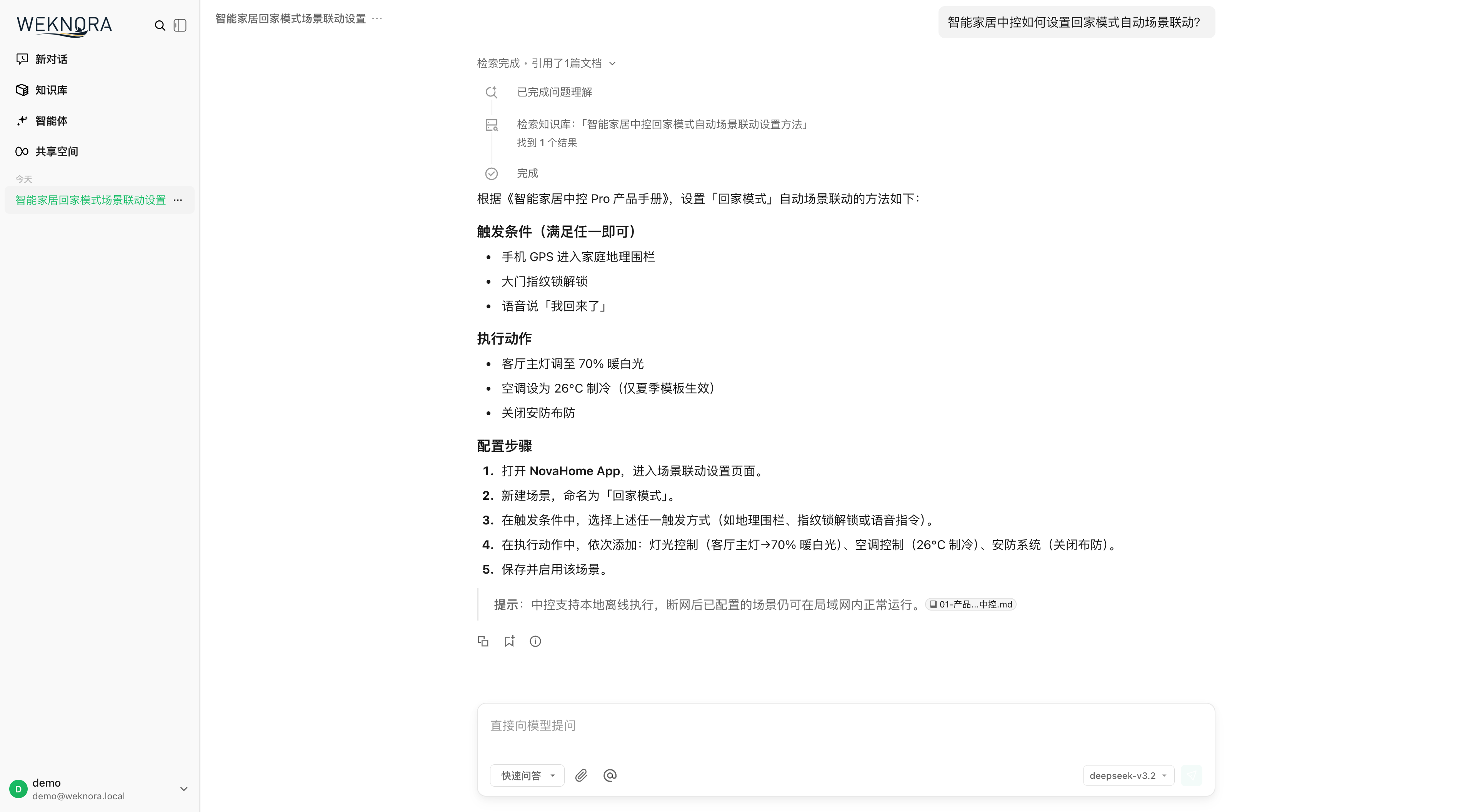
Screenshot of the Q&A interface from Tencent WeKnora’s repository, showing project sample data; it is not a JevLog deployment or test. Source: original screenshot.
1. Start the core services
Section titled “1. Start the core services”Follow Tencent WeKnora’s official quick start: clone the repository, copy .env.example, configure a model, and start the base Docker Compose stack. For the first document Q&A, skip optional graph, Wiki, and skill-sandbox services.
2. Create one small knowledge base
Section titled “2. Create one small knowledge base”Create a support test knowledge base, upload the three fictional documents, and wait until each file is fully parsed. Add a version or effective date to policy documents so old and current rules are easy to distinguish.
3. Try three kinds of questions
Section titled “3. Try three kinds of questions”Ask one question answered by the documents, one question they do not cover, and one question where old and new rules conflict. Open each citation and compare the cited text and date with the answer. A citation is a lead to verify, not proof that the answer is correct.
4. Fix the source, then retest
Section titled “4. Fix the source, then retest”If a citation points to the wrong passage, inspect the parsed chunks for that document. WeKnora supports chunk editing with version history. Correct the source and rerun the same questions. Route unclear or conflicting policies to a person.
5. Reuse a fixed acceptance worksheet
Section titled “5. Reuse a fixed acceptance worksheet”Download the acceptance CSV and label covered, uncovered and conflicting questions before generating answers. Record cited file, policy version, support and reviewer. Reuse it after model or chunk changes; fluent wording is not acceptance. See PDF table extraction for candidate source tables, which still need verification.
Practice sample: download knowledge-base-acceptance.csv for local use; not a live run here.
Check the result
Section titled “Check the result”A small acceptance record showing which questions have clear source support, which need better documentation, and which require human review.
- An answerable question points to the correct file and passage.
- An unsupported question is not treated as confirmed policy.
- A policy conflict is sent for human review with the applicable version recorded.
Continue reading
Section titled “Continue reading”- Build a Dify customer FAQ flow that drafts answers with sources
- Build a self-hosted website support inbox with Chatwoot
Can WeKnora take over live customer support?
Section titled “Can WeKnora take over live customer support?”Start with internal retrieval and answer drafts. A real customer channel also needs tested permissions, privacy controls, fallbacks, and human handoff; this guide does not connect one.