
Handle n8n failures with error queues and bounded retries
A traceable error queue and records for targeted replay.
Use caseCollect automatic failures with Error Trigger, classify credentials, rate limits and validation, and retain execution IDs and completed steps. Includes an error-register CSV.
Collect automatic failures with Error Trigger, classify credentials, rate limits and validation, and retain execution IDs and completed steps. Includes an error-register CSV.
Source · JevLog editorial · Original guide

Source cover · n8n
Published 2026-10-02 from current official docs with original exercises. No live service calls; source publication dates not established.
Problem
Section titled “Problem”A partial failure requires knowing which steps completed. Restarting everything may send messages again. Persist step states and replay only the required part.
Before you begin
Section titled “Before you begin”-
Use an editable n8n instance and workflow-error-register.csv with fictional tasks.
-
Use Manual Trigger and Stop And Error first, then a controlled automatic trigger without real payments or customer messages.
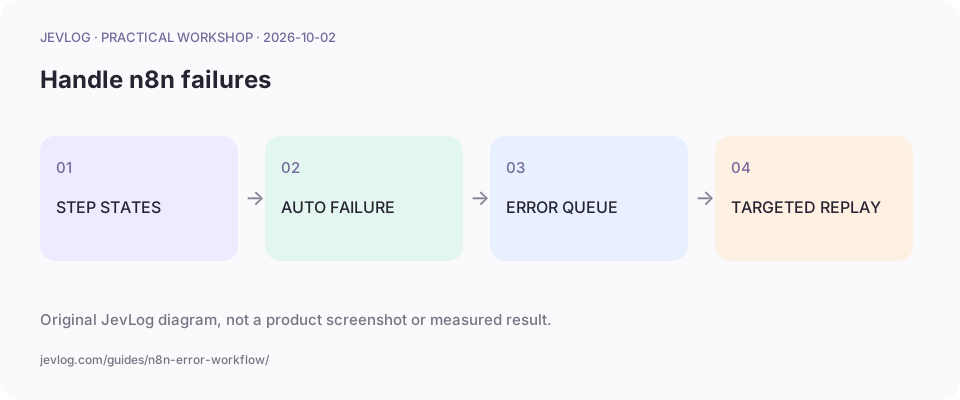
Original JevLog diagram, not a product screenshot or measured result.
1. Persist per-item step states
Section titled “1. Persist per-item step states”Associate item IDs with received, classified, saved, notified or failed. Persist beyond temporary workflow variables. Resume a failed classification without repeating a completed notification.
2. Create and assign the error workflow
Section titled “2. Create and assign the error workflow”Start with Error Trigger, normalize workflow name, execution ID, error summary and last node, then persist them. Select the error handler in the main workflow settings; UI labels vary by release.
3. Separate repair and retry
Section titled “3. Separate repair and retry”Fix credentials or permission for 401/403, respect service guidance for 429 and bound retries for 5xx. Stop And Error handles invalid business input. Avoid multiplying HTTP, SDK and workflow retries.
4. Distinguish manual inspection from automatic failure
Section titled “4. Distinguish manual inspection from automatic failure”Manual runs inspect fields and branches; Error Trigger normally responds to automatic failures. A missing manual alert does not prove a broken binding. Verify with controlled automatic execution and history.
5. Replay with lineage and deduplication
Section titled “5. Replay with lineage and deduplication”Check item and step state and enforce uniqueness. retryOf and execution URLs can be absent. Retain original and retry IDs, reviewer and terminal state. Make handler failure inspectable and preserve prior records.
Practice sample: download workflow-error-register.csv for local use; not a live run here.
Result and cautions
Section titled “Result and cautions”A traceable error queue and records for targeted replay.
- Continue settings can bypass the handler; inspect actual routing.
- Scrub input and credential fragments before persistence.
- Controlled automatic failure reaches the queue with original identity.
- Replay does not repeat completed actions and history remains inspectable.
Source boundary: compiled from the linked public sources; not reproduced here. Review classifications before acting; they do not run actions automatically.
Related guides
Section titled “Related guides”- Handle Jev Python timeouts, retries and error states
- Pause and resume LangGraph approval without duplicate actions
- n8n-nodes-typesafe-ai walkthrough: embedding a bounded judgment step inside an existing workflow
Why does a manual run not trigger Error Trigger?
Section titled “Why does a manual run not trigger Error Trigger?”Error workflows normally respond to automatic failures; verify manual branches and controlled automatic execution separately.